Coordinate planned and urgent access with compatible Smart Lock hardware and access-management software. Use time-restricted PIN workflows, review access requests and keep track of reported lock status, battery levels and follow-up actions.
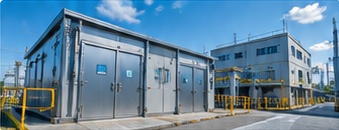
Illustrative industrial access environment. The door handle shown is not the Smart Lock hardware.
Intro video
Smart Lock in brief
Watch a short introduction to Smart Lock.
Example workflow
01
Request access
Users request access for planned work or urgent support.
02
Authorise the access window
Approve the request according to the agreed access policy and provide time-restricted PIN access where supported.
03
Review access and completion records
Review access-related records, reported lock status and completion information.
Illustrative workflow. Access policies, supported lock functions and software scope are agreed for your deployment.
Hardware and software for managed access
Bring access requests, compatible locks and management records into a practical working process. The solution can suit teams coordinating planned site work, urgent access and oversight across assigned locations. We review the opening, lock hardware, software modules and communications needed for your site.
Illustrative industrial environment — not a customer installation or a depiction of the supplied Smart Lock hardware.
Plan access and handle urgent requests
Use separate request paths for planned work and urgent access. Authorisation follows the agreed access policy; urgent access does not imply unrestricted entry or universal automatic approval.
Record the location, reason and requested access window.
Manage user accounts, roles and assigned locations.
Provide time-restricted PIN access for an authorised window on supported locks.
Review request progress and retain a history of access requests.
Monitor status and follow up on exceptions
Give responsible teams a clearer view of access activity and outstanding actions through the scoped web workflow.
Review reported lock status and battery information.
Check request history, export records and review supporting reports.
Follow up on configured alerts, such as low battery or an unresolved locking action.
Administer assigned sites and users; review audit-related tasks and records.
What we review with you
Share these details to help us define a practical project scope.
Opening dimensions, existing hardware and indoor or outdoor conditions.
Planned and urgent access policies, user roles and assigned sites.
Supported PIN functions, access windows and administration needs.
Power, connectivity and the freshness of reported status information.
History, reports, alerts and audit-related records required.
Installation, maintenance, contingency and any web or mobile workflow needs.
Confirm the functions included in your solution
The selected hardware, access policies, software modules and communication method are agreed for your deployment. Web-based requests and phone-based lock operation are different workflows: a native mobile app or remote unlocking is not assumed. Reported status depends on available communications. PIN and access records alone do not prove the physical identity of the person entering. Additional network-management functions require confirmation.
Illustrative industrial environment — not a customer installation or a depiction of the supplied Smart Lock hardware.
Test the full access cycle
Evaluate a representative opening and access workflow. Test planned and urgent requests, authorised PIN windows, lock and battery information, completion records and exception handling. Agree how the system should behave when communications or power are unavailable before a wider rollout.
Frequently asked questions
Can we manage both scheduled and urgent access?
Yes. The web workflow provides separate planned and urgent request paths. Approval rules, permissions and any urgent-access escalation are agreed for your organisation; urgent does not automatically mean unrestricted access.
How does time-restricted PIN access work?
For supported locks, an authorised request provides PIN access for an agreed time window. We confirm the selected lock functions and access policy. A PIN event alone does not prove who physically entered.
Is lock and battery information always live?
Displayed information reflects the status available through the agreed communication method. Connectivity and update behaviour must be checked for your deployment; continuous live monitoring is not assumed.
Can staff use a web portal or mobile app?
The web portal supports access requests, history and administration in the agreed solution. Native mobile apps, phone-to-lock operation and wider network-management functions are separate items to confirm in the project scope.
What records support review and accountability?
The scoped workflow can provide request history, report submission, exported records and audit-related tasks. Audit-trail coverage and retention requirements are agreed for your deployment; access records do not independently verify physical identity.
Tell us who needs access, how requests are authorised and where administration is difficult today. Email sales@pacific-solution.com or send an enquiry to discuss the hardware and software scope for your operation.
Tell us what you want to improve, whether it is tracking assets, managing access or coordinating materials and workflows. We will review your needs and discuss a practical next step.